
Website Essentials for Property and Construction Firms; What Your Site Needs Before Winter Hits.

Is your website winning you work or losing you leads? Discover the website essentials every UK trades and construction firm needs this autumn.

August and early September quiet? Learn how UK trades and construction businesses can keep leads coming in during the summer holiday slowdown.

Discover how local SEO can help your UK trades or construction business attract more nearby customers and win more work this summer. Expert tips inside.

Discover how UK trades and construction companies can use local Search Engine Optimisation (SEO) to win more work in their area this summer. Practical tips from trades marketing experts.
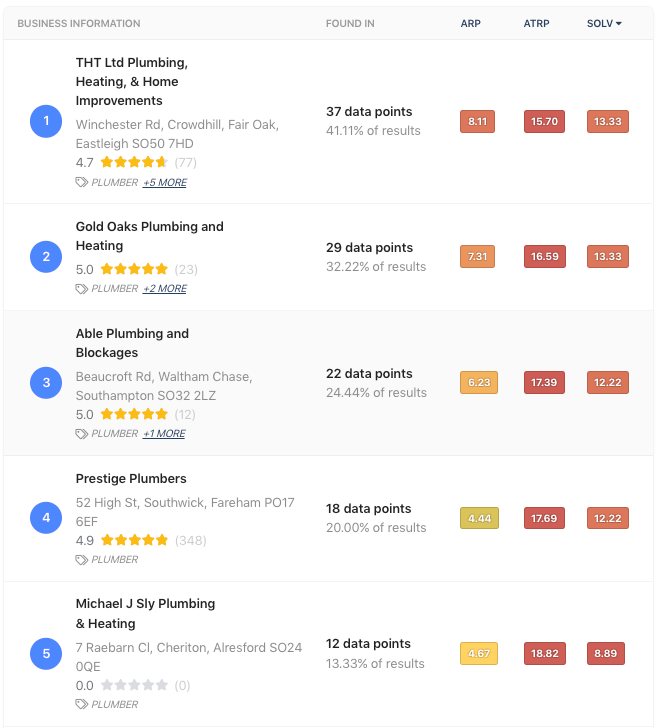
The 3 Most Important Marketing Priorities for Your Trade Business – 3 Minute Read Running a trade business is hard work. You’re quoting jobs, juggling calls, and trying to keep everything on schedule — so marketing often takes a back seat. But if you want a steady flow of new enquiries without relying on sites like Checkatrade or MyBuilder, you don’t need to do everything. You just need to focus on what actually works. Here are the three most important marketing priorities that will help you win more local work and keep your phone ringing. 1. Get Found on Google When someone searches for “electrician near me” or “builder in Bournemouth,” the first thing they’ll see is Google’s Map Pack — that box with three local businesses listed under the map. That’s where most of the clicks go. If your business isn’t showing up there, you’re missing out on the easiest leads you’ll ever get. Start by setting up and optimising your Google Business Profile (GBP) : Make sure your phone number, address, and opening hours are correct. Add photos of your work and your team regularly — Google loves fresh updates. Use the posts section to share jobs, offers, or news once or twice a month. These small actions help Google trust your profile more — and push you higher up in local searches. 2. Be Trusted – Get More 5★ Google Reviews Most people won’t call a tradesperson without checking their reviews first. It’s simple: the more good reviews you have, the more enquiries you’ll get. After every job, send your customer a direct link to your Google review page — don’t leave it to chance. And always reply to every review , even the short ones. It shows you take pride in your work and value feedback. Aim for five new reviews each month . Over time, this builds a solid reputation that helps you stand out in your area — and boosts your ranking on Google too. 3. Get Contacted – Make It Easy for Customers to Reach You Once someone finds you online, the next step is simple — they need to get in touch fast . The easier you make that, the more leads you’ll win. Start by making sure your Google Business Profile has every possible way for customers to reach you: Enable the “Call” button so they can phone you directly. Add a “Message” option — perfect for quick questions or out-of-hours enquiries. Include links to your website , WhatsApp , or quote request form . Keep your email address and opening hours accurate and up to date. Many people search from their phones when something breaks — they’ll call whoever they can reach first. So if your details are missing, you’re giving those leads to someone else. In a Nutshell You don’t need complicated marketing funnels or expensive ads. Just focus on three things: Get found on Google. Be trusted with reviews. Get contacted quickly and easily. Do that consistently, and you’ll never have to worry about where your next lead is coming from. Want to know how your business performs online? Get your free 61-point website audit from Trades Marketing UK and find out what’s helping — and what’s holding you back. 👉 Request Your Free Audit

Who is your perfect customer?
Our 7-Step Process to Get More Google Reviews
Free 61-Point Website Audit: Find Out What’s Holding Your Website Back When was the last time you gave your website a proper health check? Most business owners never do — they set it up, add a few updates, and hope it just works forever. The truth is, your website could be quietly losing you leads every single day without you even realising. That’s where our 61-point website audit comes in. We use a clever tool called Insites.com that digs deep into your site and shows you exactly where things could be better. Don’t panic, it’s not technical, and you don’t need to be a web geek to understand it.
See Exactly Where You Rank Locally with Our Local SEO Report